







Key takeaways
- Start with off-the-shelf tools. They are fast and proven for standard work.
- Build custom when your process is your advantage, or when staff spend hours stitching tools together.
- Scope the first build around one workflow, and connect it to the tools you keep.
Most businesses run on a mix of spreadsheets, WhatsApp groups and subscription software. That is fine until it isn’t: when the team spends more time copying data between tools than doing the work. Here is how to tell when custom software is worth it.
Signs you have outgrown your tools
- The same data is typed into three places, and they rarely agree.
- Key processes live in one person’s spreadsheet and head.
- You pay for several tools and use a small part of each.
- Customers or field staff wait on office staff to look things up.
- Reporting means a day of exporting and pasting every month.
When off-the-shelf is enough
Accounting, payroll, email and standard CRM work are solved problems. Buy those. Custom software earns its place where your way of working is different, or where the gaps between tools are costing real time.
When custom pays off
- Your process is your advantage. A tuition centre’s marking workflow or a field crew’s dispatch rules are not generic.
- Several user types need one system. Owners, staff, customers and partners each see what they need.
- Integration is the real problem. A custom layer can connect payments, CRM and accounting so data moves without copy and paste.
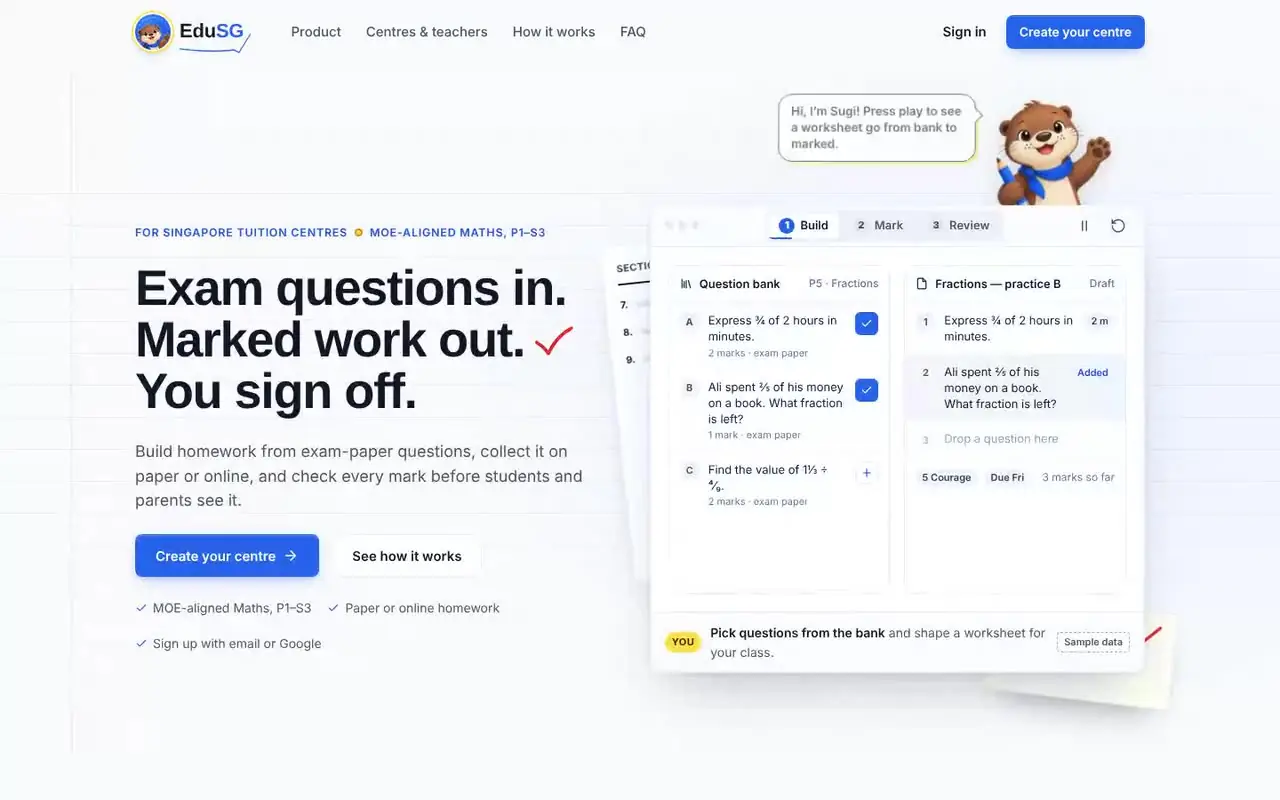
EduSG is a good example: a learning management system for Singapore tuition centres covering worksheet building, marking, progress tracking and releasing results to parents, built around how centres actually run.
“Buy software for the work everyone does. Build it for the work only you do.”
The Pineapple · software team
How to scope a first build
- Pick one workflow that hurts the most and map it end to end.
- List the users and what each one needs to see and do.
- Keep what works. Integrate with the tools you already pay for instead of replacing everything.
- Release in stages. Ship the core workflow, then add roles and reports.
Custom platforms typically take 4–9 months to launch, delivered in weekly working builds so you see progress early.
Quick answers
The questions we hear most on this topic are answered in the FAQ below.

Written by
The Pineapple teamAn app development and web design studio in Singapore. Since 2021 we have launched 60+ apps, platforms and websites for events, education, retail and growing businesses, and we write about what we learn along the way.